Personal safety
Personal safety that doesn’t wait for you to press a button.
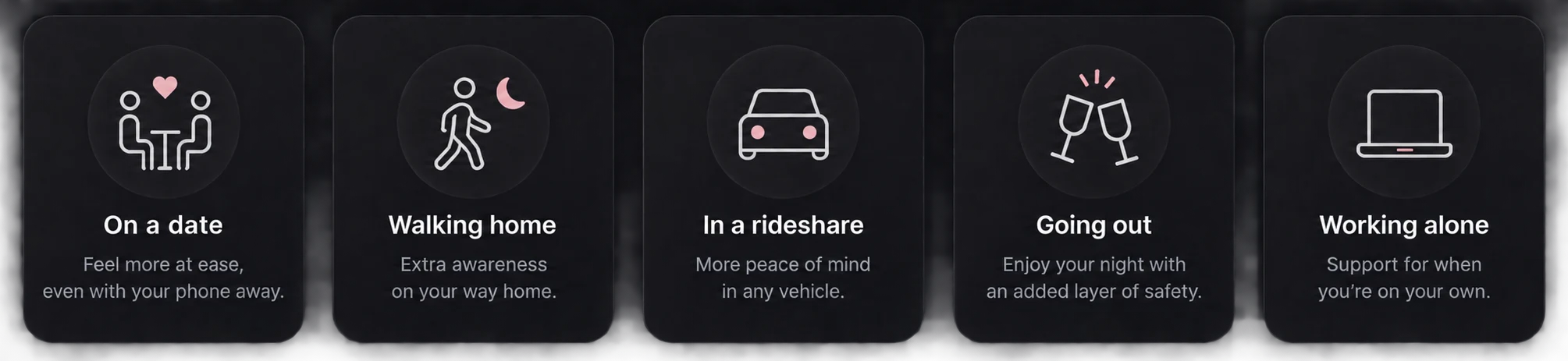
Start AI Witness before a date, walk home, or rideshare. It listens for signs of escalation and can act when you can’t reach your phone.
Start session → phone away → AI listens → context preserved

AI WITNESS
AI WITNESS
Witness Active
“Listening for signs something may be wrong.”
Monitoring stops the moment you end it.

Why not just a panic button?
A panic button only works when you can press it.
AI Witness starts before something goes wrong. Put your phone away, and it listens for signs of escalation—so it can act when you can’t.
- Start before you need it
- No need to reach your phone
- Designed to notice escalation early
How it works
How AI Witness works.
NORMAL · LOW POWER
START SESSIONSTART SESSION
Choose a mode and put your phone away.
LIGHTWEIGHT LISTENINGLIGHTWEIGHT LISTENING
AI monitors for signs of escalation.
POTENTIAL INCIDENT · DEEPER ANALYSIS
POTENTIAL INCIDENTPOTENTIAL INCIDENT
Something in the interaction changes.
3 MINUTES PRESERVEDCONTEXT PRESERVED
Previous 3 minutes preserved. Recording continues.
AI ANALYZESAI ANALYZES
Relevant audio gets deeper analysis.
Review what happened. Decide what to keep.
Your configured response
You decide what happens next.
Configure AI Witness before your session. If something happens, it already knows what you want it to do.
AI WITNESS
INCIDENT RESPONSE
Choose what happens if AI Witness detects a potential incident.
Preserve recording
Save the preceding 3 minutes and continue recording.
Alert safety contact
MMaya
Share location
Include your location with the alert.
Check in with me first
Ask me to confirm I’m okay first.
Set before you start a session.
The 3-minute buffer
It doesn’t start three minutes too late.
During a session, AI Witness maintains a rolling 3-minute audio buffer. If a potential incident is detected, it preserves those preceding minutes and continues recording — so you have the context that led up to the moment.
Rolling 3-minute buffer
Older audio is continuously overwritten. No incident? Audio is discarded.
Incident audio preserved until you decide what to do with it.
Privacy and control
You decide what gets kept.
You decide when listening starts
AI Witness only listens after you deliberately start a session. End the session and monitoring ends.
Only incidents are saved
Audio that is not associated with a potential incident is automatically discarded. If AI Witness detects a potential incident, the relevant audio — including the preceding 3-minute buffer — is preserved until you decide what to do with it.
You’re in control
Review what an incident produced and decide whether to keep or delete it.
Founding user offer
Get AI Witness free.
Join the first 100 users and get free access to AI Witness when it launches.
Questions
What people ask first.
Will AI Witness drain my battery?
Listening Mode is designed to use very little battery during normal monitoring. Most of the time, AI Witness performs lightweight listening rather than continuously sending audio to the cloud. Battery use increases when a potential incident is detected and relevant audio is sent for more intensive AI analysis. Battery performance will be measured and published during beta testing.
Is AI Witness available today?
Not yet. AI Witness is in active development. Joining now reserves your free founding-user access. We will email you when builds are ready to test.
Does it call the police for me?
No. AI Witness does not contact emergency services on your behalf. It is designed to initiate a safety workflow — such as alerting the contacts you have chosen and preserving relevant context — so a person you trust can decide what happens next.
Is my phone always listening?
No. Nothing is monitored until you deliberately start a session, and monitoring stops when you end it. AI Witness is not designed to run in the background of your everyday life.
What happens to the audio?
The intended architecture keeps a short, rolling window of recent audio for detection rather than permanently storing everything you say. If nothing happens, that context is discarded as the session runs. If something does, a limited amount of surrounding context can be preserved so it is not lost.
Can it be wrong?
Yes. No detection system is perfect, and AI Witness cannot guarantee your safety or catch every emergency. Treat it as one layer alongside your own judgment and the people you trust — not a replacement for them.
What does the founding user offer cost?
Nothing. No credit card required. The first 100 users get free access when AI Witness launches. We will share what that includes before launch.
Free access
Be the first to use it.
Free access while founding spots remain.